Six months ago, I couldn't type for a week.
Not because I didn't want to. Because my right wrist hurt so badly that every keystroke sent a sharp pain up my forearm. I couldn't hold a coffee cup. I couldn't open a jar. I couldn't do my job.
I'm a typist. That's what I do. And for a week, I couldn't do it.
The worst part? It was completely preventable. I'd been ignoring the warning signs for months. The tingling. The stiffness in the morning. The dull ache that I told myself was "just from sleeping weird."
I was an idiot. And I want you to learn from my mistake.
The Warning Signs I Ignored
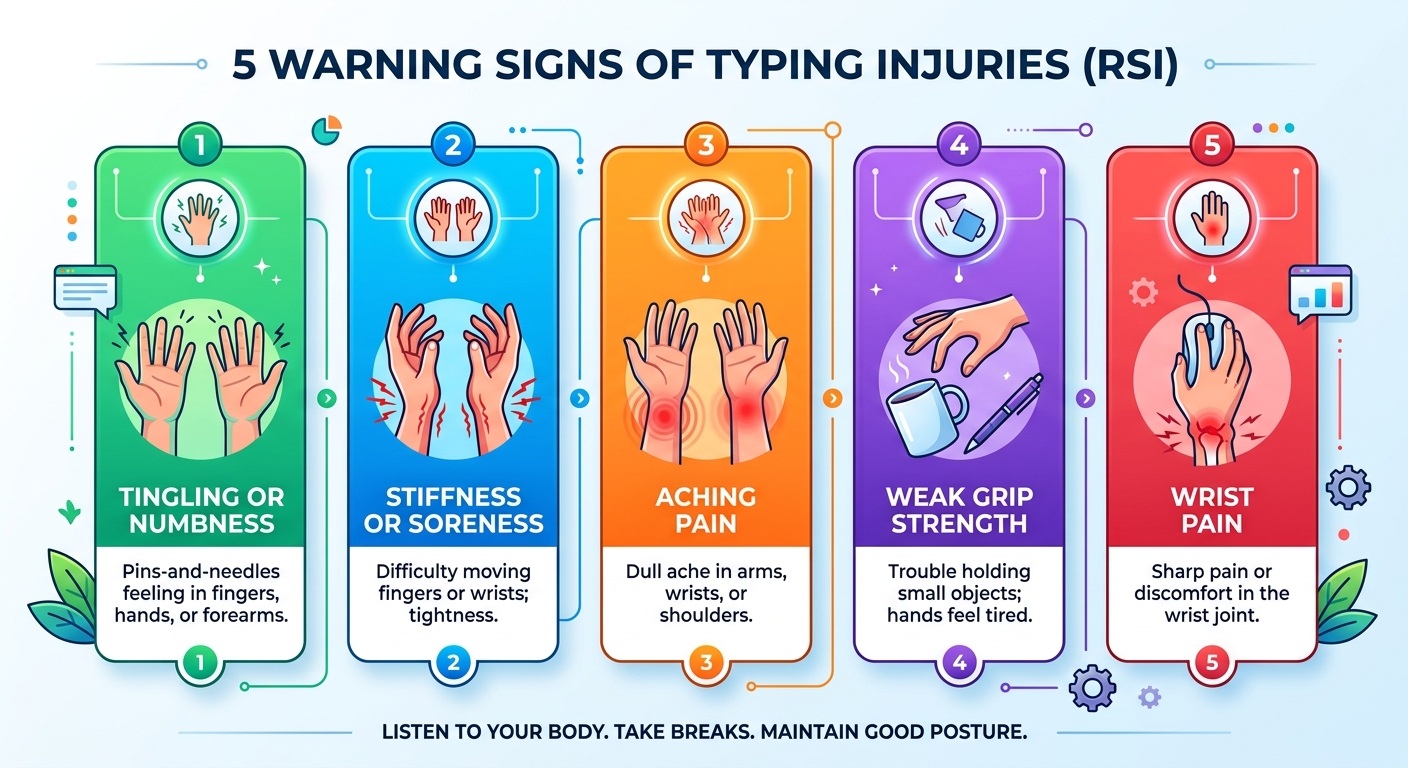
Let me tell you exactly what I felt before things got bad. If any of these sound familiar, take them seriously.
Tingling or numbness in my fingers. It started as a faint pins-and-needles feeling in my pinky and ring finger. I figured it was nothing. It got worse over weeks.
Stiffness in the morning. My hands felt tight and slow when I woke up. I'd shake them out and move on. That stiffness was my body asking for a break.
A dull ache after long sessions. Not sharp pain. Just a tired, aching feeling in my wrist and forearm. I thought it was normal. It's not.
Weak grip. I noticed I was dropping things. My phone. A glass of water. Nothing major, but enough to notice.
Pain when extending my wrist. If I pressed my palm against a wall, my wrist would complain. That's a classic sign of tendon strain.
I ignored all five. Then I paid for it.
What Actually Happens to Your Hands When You Type
Here's the thing nobody told me. Typing isn't just finger movement. It's a full chain of muscles, tendons, and nerves all working together.
Every keystroke sends a small vibration up through your fingers, into your wrist, and up your forearm. Do that 10,000 times a day, and it adds up.
Your tendons slide through narrow tunnels in your wrist. Repetitive movement causes friction. Friction causes inflammation. Inflammation causes pain.
Your median nerve runs through the same tunnel. When the tunnel swells, the nerve gets compressed. That's carpal tunnel syndrome.
Your muscles stay contracted for hours. They never fully relax. Over time, they develop trigger points that refer pain to other areas.
Your posture determines whether the strain is distributed well or concentrated in one spot. Bad posture makes everything worse.
None of this happens overnight. It builds up slowly. And by the time you feel it, the damage is already done.
The Five Habits That Saved My Hands
After my week of forced rest, I did a lot of research. Then I rebuilt my entire typing routine around prevention. Here's what actually worked.
1. Float Your Wrists
This is the big one. And it's the hardest to maintain.
Most people rest their wrists on the desk while typing. It feels comfortable. It feels natural. It's terrible for you.
When you rest your wrists, you bend them upward. That puts pressure on the median nerve. Do it for hours and you're asking for carpal tunnel.
The fix: Keep your wrists floating above the keyboard. Not resting. Not locked. Just hovering.
At first, this is exhausting. Your forearm muscles have to hold your hands up. You'll want to rest them after five minutes.
What helped me: A soft wrist rest placed between typing sessions. I rest for 30 seconds, then float again. Over two weeks, my arms adjusted. Now floating feels normal.
2. Fix Your Chair Height
Most people have their chair too high. That forces the wrists to bend up to reach the keyboard.
The ideal setup:
- Elbows at 90 degrees
- Forearms parallel to the floor
- Shoulders relaxed
- Feet flat on the floor
If your chair is too high, lower it. If your desk is too high, raise your chair or lower your keyboard tray. Your wrists should be neutral, not bent.
What helped me: I lowered my chair by two inches and raised my monitor. It felt weird for a day. Then it felt incredible.
3. Take Microbreaks Every 20-30 Minutes
This sounds simple. It is. And it makes a huge difference.
Every 20-30 minutes, pause for 30 seconds. Look away from the screen. Flex your fingers. Roll your shoulders. Shake out your hands.
That's it. Thirty seconds.
Why it works: Cumulative strain is what causes injury. Microbreaks interrupt that accumulation. They give your tendons a chance to recover before the next session.
What helped me: I set a timer. Every 25 minutes, I stop. At first it felt disruptive. Now it's automatic.
4. Type Lighter
I used to pound the keyboard. Every keystroke was a small hammer blow. I didn't realize I was doing it until someone pointed it out.
Hard typing sends more force into your joints. Soft typing sends less.
The fix: Use the lightest keystroke that registers. Don't bottom out. Stop pressing the moment the key activates.
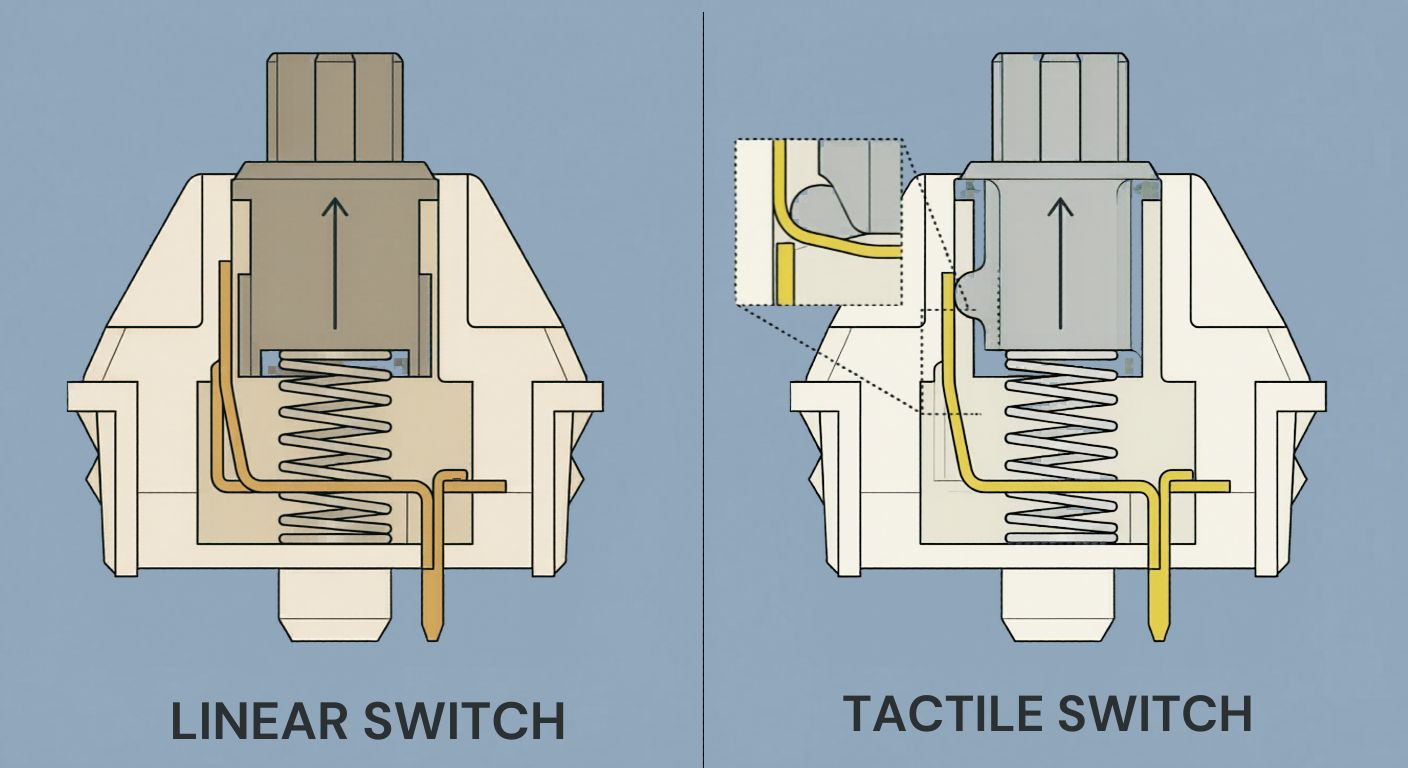
Mechanical keyboards with tactile switches actually help here. The tactile bump tells you when the key registered. You learn to stop pressing earlier.
What helped me: I switched to Cherry MX Brown switches. The tactile bump gave me feedback. I stopped hammering.
5. Stretch Daily
This is the habit I resisted the longest. I thought stretching was for athletes. It's not. It's for anyone who uses their hands for hours.
Here are the five stretches that actually helped me.
Wrist extensor stretch: Extend your arm, palm down, and gently pull your fingers back with your other hand. Hold for 15 seconds. Switch sides.
Wrist flexor stretch: Extend your arm, palm up, and gently pull your fingers back. Hold for 15 seconds. Switch sides.
Finger spreads: Spread all your fingers wide. Hold for 5 seconds. Relax. Repeat 10 times.
Tendon glides: Make a fist. Then straighten your fingers slowly. Then make a hook fist. Then a straight fist. That's one rep. Do 10.
Prayer stretch: Palms together in front of your chest. Lower your hands slowly until you feel a stretch in your forearms. Hold for 30 seconds.
Do this once in the morning and once in the evening. Takes five minutes total.
When to See a Doctor (Don't Wait Like I Did)
I'm not a doctor. I'm a typist who learned a lesson the hard way. If you're experiencing any of these, talk to a medical professional.
See a doctor if:
- Pain persists after you stop typing
- You have numbness or tingling that doesn't go away
- You have weakness in your grip
- You wake up with pain in your hands or wrists
- Rest doesn't improve your symptoms
Don't push through it. Don't tell yourself it'll get better on its own. Don't be me.
The earlier you address it, the easier it is to fix. My week of forced rest could have been avoided if I'd seen someone after the first tingling sensation.
Equipment That Actually Helps
I've tried a lot of products. Here's what actually made a difference.
Ergonomic keyboard. A split or tented keyboard changes the angle of your wrists. It reduces strain significantly. I don't use one daily, but I keep one for long sessions.
Vertical mouse. A traditional mouse forces your wrist into a rotated position. A vertical mouse keeps it neutral. This made a bigger difference than I expected.
Adjustable chair. You can't fix your posture with a chair that doesn't adjust. This is worth the investment.
Monitor stand. If your screen is too low, you'll hunch. Raise it to eye level.
Wrist rest (used correctly). Use it between sessions. Not during.
What I Do Now (Every Single Day)
Here's my current routine. It's not complicated. It just requires consistency.
Morning:
- Five minutes of hand stretches
- Check my posture before starting
During typing:
- Float my wrists
- Microbreak every 25 minutes
- Type lightly, don't bottom out
Evening:
- Five minutes of hand stretches
- Ice if I feel any soreness coming on
Weekly:
- Review my posture setup
- Check my chair and monitor height
- Assess if anything feels off
That's it. No fancy equipment. No expensive programs. Just simple habits that take minutes and prevent months of pain.
The Bottom Line
Your hands need to last a lifetime. Typing is a repetitive strain activity. It will cause problems if you ignore the warning signs.
The good news is that almost all typing injuries are preventable. Float your wrists. Fix your posture. Take breaks. Type lightly. Stretch daily.
And if something hurts? Don't push through it. See a doctor. Rest.
The pain I experienced was a wake-up call. I got lucky. It resolved in a week with rest and changes. Others aren't so lucky. Chronic RSI can end careers.
Don't wait until you can't type to take care of your hands. Start now.
Key Takeaways
- Typing injuries are cumulative. They build up over weeks and months.
- Watch for warning signs: tingling, stiffness, dull ache, weak grip, pain when extending the wrist.
- Float your wrists. Resting them on the desk puts pressure on the median nerve.
- Fix your chair height. Elbows at 90 degrees, forearms parallel to the floor.
- Take microbreaks every 20-30 minutes. Thirty seconds is enough.
- Type lightly. Don't bottom out on every keystroke.
- Stretch daily. Five minutes in the morning, five at night.
- See a doctor if symptoms persist. Don't push through pain.
Author Bio
Abid is a competitive typist on TypingBattles (105 WPM, 400+ wins). He learned about typing injuries the hard way — a week of forced rest after ignoring wrist pain for six months. Now he preaches the gospel of floating wrists and microbreaks to anyone who will listen. His wife makes fun of him for stretching during movies.
Recommendation
Protect your hands. Then test your speed.
TypingBattles helps you track your WPM and accuracy. But remember: only type when you're pain-free. Your hands are more important than any leaderboard.
Test your typing speed (when your hands feel good) →