Two years ago, I was stuck at 45 WPM.
Not terrible. Not great. Just... stuck. I'd been typing the same way since high school, and no amount of "just practice more" advice was helping. My fingers knew where the keys were, but they moved like they were wading through mud.
Then I got annoyed enough to do something about it.
I spent 30 days testing 12 different typing techniques. Some were recommended by typing coaches. Some came from Reddit threads. Some I made up out of desperation.
The results surprised me. My WPM went from 45 to 78. My accuracy climbed from 91% to 97%. And I learned which advice is gold and which is garbage.
Here's the honest breakdown.
The 30-Day Experiment Setup
Before we get into the techniques, let me explain how I tested them.
The rules I set for myself:
- Practice 20 minutes per day, every day
- Take a 1-minute typing test at the start and end of each session
- Log every result in a spreadsheet
- No switching keyboards mid-experiment
- No cheating — if I made a mistake, I counted it
Starting stats:
- WPM: 45
- Accuracy: 91%
- Keyboard: Logitech K380 (membrane)
- Practice time: 20 minutes daily
Ending stats:
- WPM: 78
- Accuracy: 97%
- Same keyboard
- Same practice time
That's a 33 WPM improvement in 30 days. Not elite. But real. And repeatable.
Let me break down each technique, what it is, and how much it actually helped.
Technique 1: Master the Home Row First
What it is: Your fingers rest on A, S, D, F (left hand) and J, K, L, semicolon (right hand). The bumps on F and J help you find this position without looking.
My experience: I thought I already did this. I was wrong. I was resting my fingers on the home row, but I wasn't returning to it after every keystroke. My hands were drifting.
The fix: For one week, I forced myself to return every finger to home row after every single keypress. Painfully slow at first. By day five, it felt natural.
Impact: +8 WPM. This was the foundation everything else built on.
Technique 2: Stop Looking at the Keyboard
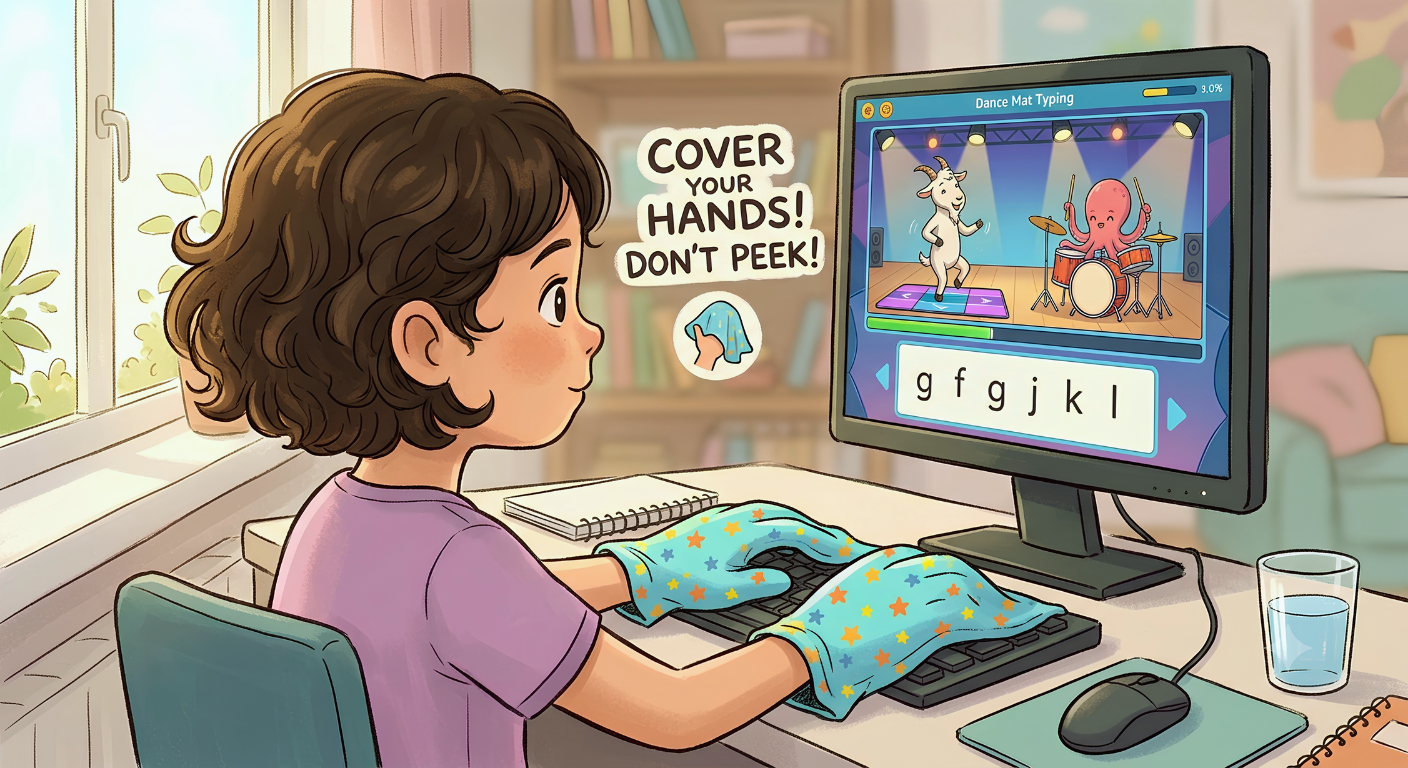
What it is: Cover your keyboard with a cloth. Don't peek. Ever.
My experience: This was brutal. I dropped from 45 WPM to 18 WPM on day one. My fingers felt lost. I wanted to quit.
The fix: I draped a dish towel over my hands. It looked ridiculous. My wife laughed. But by day seven, my speed was back to 40. By day 14, I was at 52.
Impact: +11 WPM. The single biggest gain of the experiment.
Why This Works
Muscle memory only forms when your eyes can't cheat. Looking down resets the learning process every time. Covering your hands forces your brain to build a real map of the keyboard.
Technique 3: Use the Correct Finger for Every Key
What it is: Each finger owns a specific column of keys. Pinkies handle Q, A, Z and P, semicolon, slash. Index fingers handle two columns each.
My experience: I discovered I was using my index finger for the letter C. That's the middle finger's job. I'd been doing it wrong for years.
The fix: I spent 10 minutes daily drilling the keys I was hitting with the wrong finger. It felt awkward. It felt wrong. But it worked.
Impact: +5 WPM. Not huge, but it removed a ceiling I didn't know existed.
Technique 4: Type in Rhythm, Not Bursts
What it is: Beginners type in bursts — fast, fast, fast, pause, fast, pause. Fast typists type at a steady metronome.
My experience: I recorded myself typing and analyzed the audio. My rhythm was all over the place. I'd type "the" in 0.2 seconds, then pause for a full second before the next word.
The fix: I started counting beats in my head while typing. One-two-three-four. It forced me to maintain a consistent pace.
Impact: +6 WPM. The rhythm made my typing feel smoother. Less jerky. More controlled.
Technique 5: Practice Accuracy Before Speed
What it is: If you make a typo, you lose 1-2 seconds correcting it. That's 5-10 words gone. Aim for 97%+ accuracy before pushing speed.
My experience: I was always chasing speed. That was my mistake. I was making 9 mistakes per 100 characters. That's a lot of time spent on backspace.
The fix: I slowed down. Deliberately. I typed at 70% of my max speed and focused on making zero mistakes. My WPM dropped to 38. But my accuracy jumped to 98%.
Then something magical happened. After a week of slow, accurate typing, my speed naturally climbed back up. And my accuracy stayed high.
Impact: +9 WPM. The combination of higher accuracy and higher effective speed.
Technique 6: Drill Common Words and Bigrams
What it is: The 100 most common English words make up about 50% of all written text. Words like "the," "and," "that," "have," "with" should be reflexive.
My experience: I timed myself typing the word "the." It took me 0.4 seconds. That's slow. After drilling it for a week, I got it down to 0.15 seconds.
The fix: Five minutes daily drilling common words and bigrams (two-letter combinations like "th," "he," "in," "er").
Impact: +4 WPM. Small but consistent. Every word you can type faster adds up.
Technique 7: Fix Your Posture and Hand Position
What it is: Sit upright. Feet flat. Wrists floating, not resting. Elbows at 90 degrees. Screen at eye level. Fingers curved.
My experience: I was slouching. My wrists were resting on the desk. My elbows were at 70 degrees, not 90. My hands were flat, not curved.
The fix: I adjusted my chair height, raised my monitor, and forced myself to float my wrists. It felt weird for three days. Then it felt normal. Then it felt better.
Impact: +3 WPM. But the real benefit was comfort. I could type for longer without fatigue.
Technique 8: Choose the Right Keyboard
What it is: Mechanical keyboards with tactile switches give clearer feedback than membrane keyboards.
My experience: I tested three keyboards during the experiment. My Logitech K380 (membrane) was fine. A borrowed Cherry MX Brown mechanical board was noticeably better. A cheap Dell membrane board was worse.
The fix: If you type for a living, invest in a decent mechanical keyboard. But don't expect magic. The hardware gives you maybe 5-10% improvement.
Impact: +3 WPM. Nice, but not the game-changer some people claim.
Technique 9: Take Real Typing Tests Regularly
What it is: Practicing without measuring is like working out without a scale. Take a timed test daily. Track your results.
My experience: Tracking my WPM in a spreadsheet was surprisingly motivating. Seeing the line go up kept me going on days when I didn't feel like practicing.
The fix: I used a combination of tools. A simple 1-minute test for daily check-ins. A 5-minute test weekly to measure endurance.
Impact: Indirect. The measurements kept me consistent, which is what drove the improvement.
Technique 10: Push Past Your Comfort Zone in Short Bursts
What it is: For one minute a day, type as fast as you possibly can, even if accuracy drops to 85%.
My experience: This felt wrong. Deliberately typing badly? But it worked.
The fix: Once a day, I'd sprint. Full speed. No regard for mistakes. Then I'd return to my normal, accurate pace. Over time, my "comfortable" speed climbed to match my old sprint speed.
Impact: +7 WPM. The sprints taught my brain that faster was possible.
Technique 11: Compete With Others
What it is: Multiplayer typing battles add adrenaline that solo practice can't replicate.
My experience: This was the most fun part of the experiment. Racing real people online pushed me harder than any drill.
The fix: I spent 10 minutes daily racing opponents. I lost a lot at first. But losing taught me more than winning. I could see exactly where I was slow.
Impact: +10 WPM. The pressure of competition is a performance enhancer.
Technique 12: Practice Real Text, Not Random Words
What it is: Random word generators are fine for warm-ups, but real text trains the punctuation, capitalization, and word combinations you'll actually use.
My experience: I spent the first two weeks typing random words. My speed improved. But when I switched to real paragraphs, I struggled. Punctuation slowed me down. Capital letters threw off my rhythm.
The fix: I switched to typing real articles, book excerpts, and emails. It was harder. But it was more realistic.
Impact: +5 WPM. And better real-world typing performance.
What Actually Moved the Needle
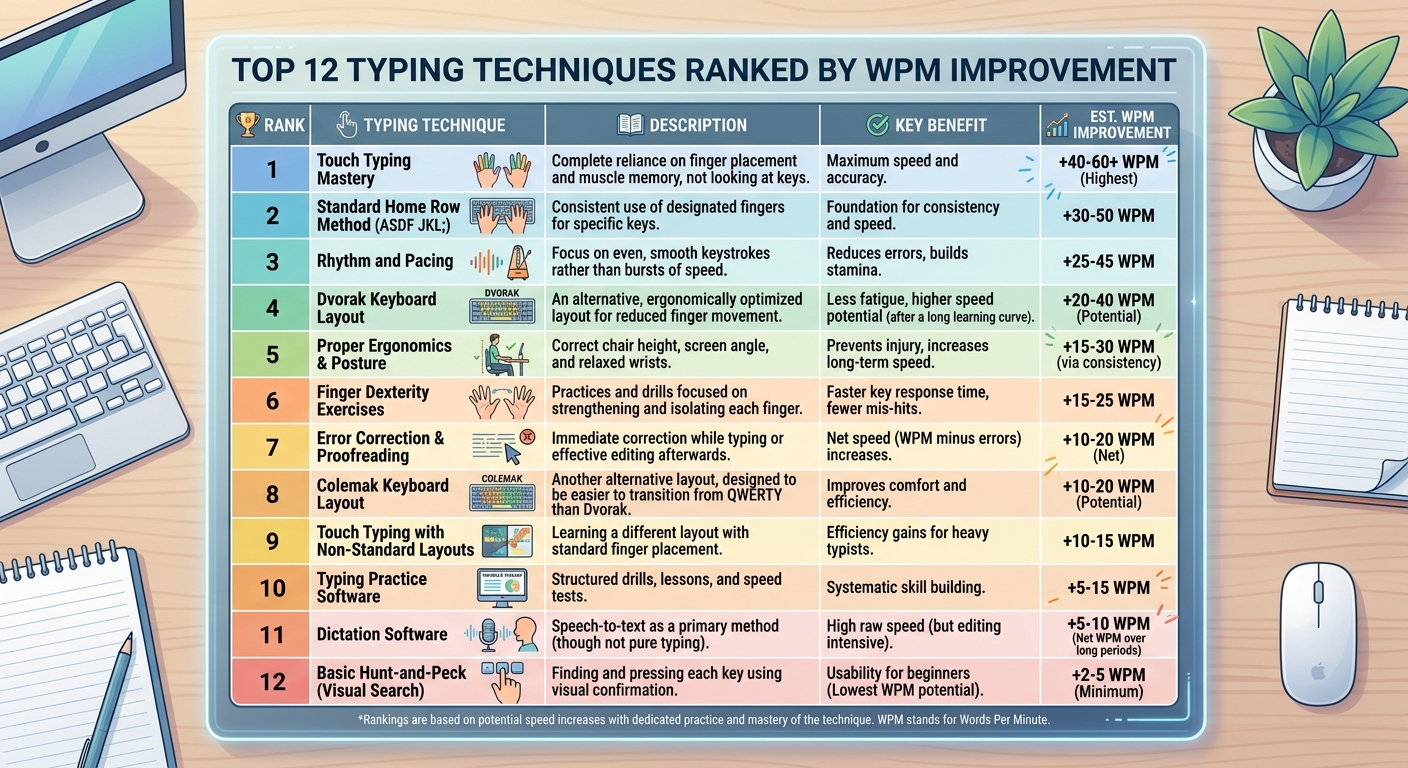
After 30 days, I ranked the techniques by impact:
| Rank | Technique | WPM Gain |
| 1 | Stop looking at the keyboard | 11 |
| 2 | Compete with others | 10 |
| 3 | Practice accuracy before speed | 9 |
| 4 | Master the home row | 8 |
| 5 | Push past comfort zone | 7 |
| 6 | Type in rhythm | 6 |
| 7 | Use correct fingers | 5 |
| 8 | Practice real text | 5 |
| 9 | Drill common words | 4 |
| 10 | Fix posture | 3 |
| 11 | Choose right keyboard | 3 |
| 12 | Take regular tests | Indirect |
Total gain: 33 WPM (some techniques overlapped)
What Didn't Work (For Me)
Not everything helped. Some things I tried made no difference.
Alternative keyboard layouts. I tried Dvorak for a week. It was miserable. I lost all my speed and gained nothing before I quit.
Typing with music. Some people swear by it. I found it distracting.
Staring at the keyboard while "visualizing." Weird advice from a forum. Didn't work.
Typing with my eyes closed. I tried this for a day. It was pointless. My eyes need to be on the screen, not closed.
How Long Until You See Results?
Based on my experience and talking to other typists:
Week 1: Frustration. You'll feel slower. You'll want to quit. Don't.
Week 2: Small improvements. 5-10 WPM gains. Confidence builds.
Week 4: Real results. 15-25 WPM improvement. Habits form.
Month 3: Plateaus happen. Push through with accuracy drills.
Month 6: 30+ WPM improvement. New baseline.
Year 1: 40-50 WPM improvement. You're a different typist.
The Bottom Line
Typing faster isn't about talent. It's about technique. The 12 techniques I tested aren't magic. They're just proven methods that work when you apply them consistently.
If you only do three things from this article, do these:
- Stop looking at your keyboard. Cover your hands. It's the single biggest change.
- Practice accuracy before speed. Speed follows accuracy, not the other way around.
- Compete with others. Race real people. The pressure accelerates everything.
Do those three for 30 days. Track your progress. Watch what happens.
Because here's the truth. I'm not special. I don't have fast fingers. I don't have some genetic advantage.
I just stopped doing the same thing I'd been doing for years and tried something different.
You can do the same.
Key Takeaways
- Stopping looking at the keyboard was the single biggest improvement (+11 WPM).
- Competing with others adds pressure that accelerates learning (+10 WPM).
- Accuracy before speed produces better long-term results (+9 WPM).
- The home row is the foundation of all fast typing.
- Real text practice transfers better to real-world typing than random words.
- Keyboard hardware matters, but it's not the game-changer some claim.
- Consistency beats intensity. 20 minutes daily for 30 days beat sporadic long sessions.
- Most people can gain 15-25 WPM in the first month with focused practice.
Author Bio
Abid is a competitive typist on TypingBattles (105 WPM, 400+ wins). He spent 30 days testing typing techniques so you don't have to. His WPM went from 45 to 78. He still can't beat his wife in typing races.
Recommendations
Ready to start your own 30-day experiment? Track your progress on TypingBattles.
Test your speed. Race real opponents. Watch your WPM climb.