Keybr is the smartest typing tool I've ever used.
That's not a casual compliment. I've tested dozens of typing platforms. Most of them give you words to type. Some of them give you real sentences. A few of them track your progress. But Keybr does something none of the others do. It figures out exactly which keys you're bad at, then builds custom lessons to fix them.
Then I tried TypingBattles. And I realized I'd been training one half of the equation.
Keybr fixes your weaknesses. It doesn't teach you to perform under pressure. TypingBattles does. So I ran an experiment. Thirty days on Keybr. Thirty days on TypingBattles. Same keyboard. Same time of day. Same session length.
Here's what I learned.
The Quick Comparison
Before we get into the details, here's the snapshot.
| Feature | Keybr | TypingBattles |
| Primary focus | Adaptive drilling for weak keys | Real-time multiplayer racing |
| Launch year | 2011 | Newer platform |
| Design | Minimalist, data-focused | Competitive, racing-focused |
| Core algorithm | AI-driven, targets your weakest letters | Fixed difficulty levels |
| Text type | Phonetic pseudo-words | Real text passages |
| Opponent | Timer only (solo practice) | Real human opponents |
| Multiplayer | Basic race mode | Full real-time racing with live progress |
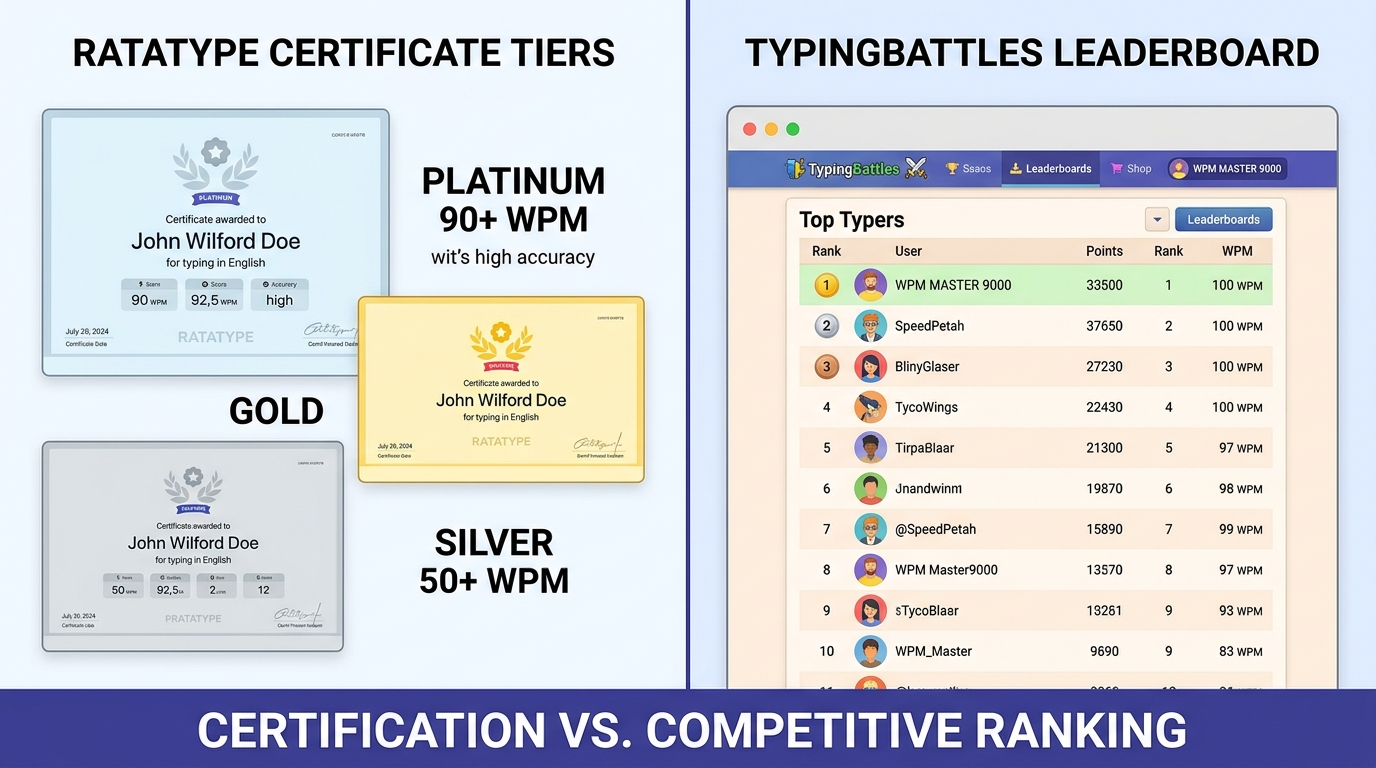
| Progress tracking | Deep per-key analytics, heatmaps, calendars | Race history and leaderboard |
| Keyboard layouts | QWERTY, Dvorak, Colemak, more | Standard layout |
| Price | Free (optional $10 ad removal) | Free |
| Sign-up required? | Optional | Optional |
| Best for | Fixing specific weak keys | Performing under pressure |
Both are free. Both are excellent. But they solve completely different problems.
What Keybr Does Better
Let me give credit where it's due. Keybr is brilliant at one thing.
The Adaptive Algorithm Is Genuinely Smart
Most typing tutors give you the same lessons as everyone else. Keybr doesn't. According to the Educational App Store, Keybr "continuously analyzes your typing speed and accuracy for each individual key. It then generates custom lessons that focus on your weakest letters, creating a highly adaptive learning experience" [5†L19-L23].
Here's how it works. Keybr times every key you press. It builds a profile of your typing ability. When it notices that you're slow on "Y" or "semicolon" or "Q," it generates words that use those letters more frequently. You don't get a generic lesson. You get a lesson built specifically for your fingers.
One review put it perfectly: "Keybr will feed you a stream of 'myyj sjjy' until they are not [weak]" [10†L50-L52]. It sounds ridiculous. It works.
The Per-Key Analytics Are Incredible
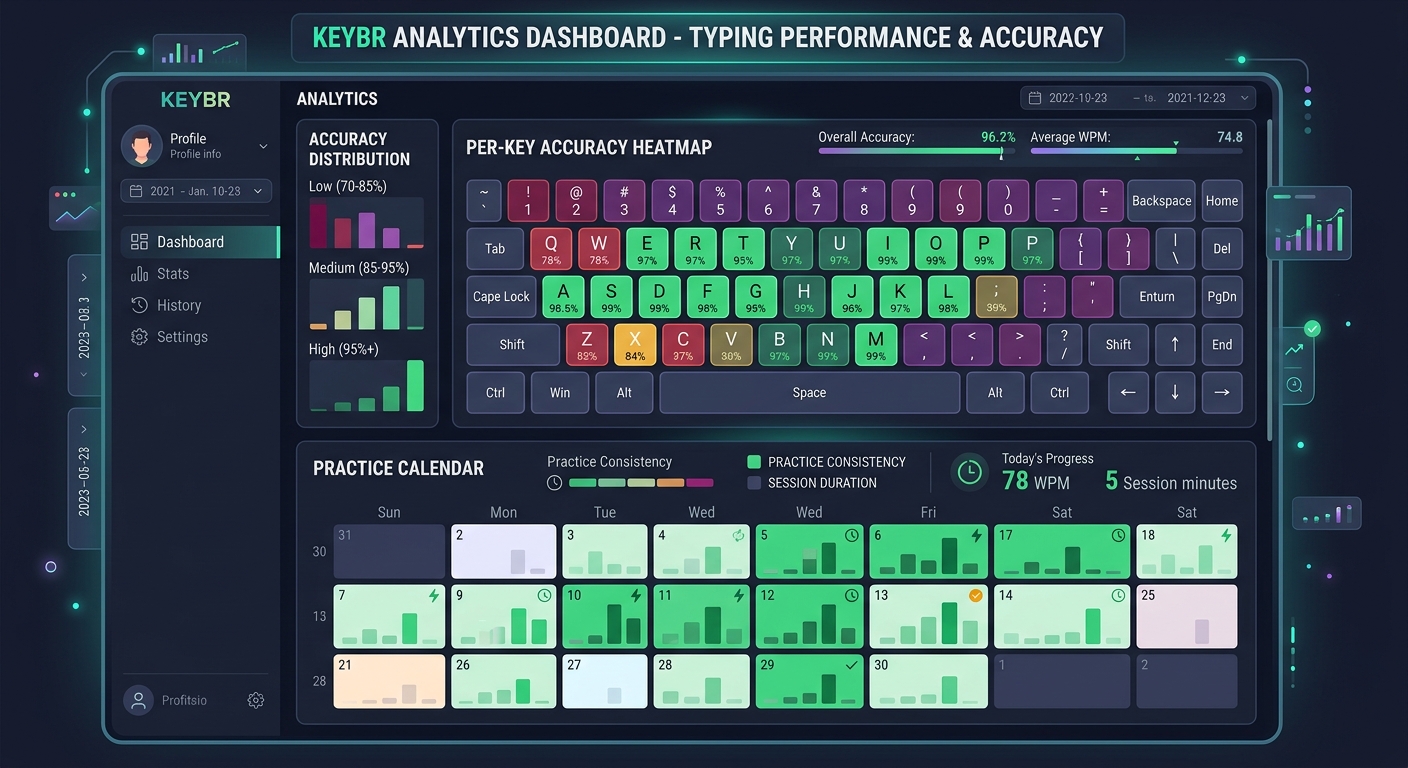
After each session, Keybr gives you a detailed breakdown of your performance. You can see how quickly you type each individual key. You can see which keys you miss most often. You can see your progress over time with calendars, heatmaps, and frequency distributions.
According to The Intelligence, "The site also keeps detailed stats on your typing abilities. You can see, for instance, how quickly you type compared to other users, how fast you are at reaching specific keys, and which keys you frequently miss" [6†L22-L26].
If you want to understand exactly where your typing is weakest, Keybr is the most precise tool available.
It Supports Multiple Keyboard Layouts
Keybr isn't limited to QWERTY. It supports Dvorak, Colemak, Workman, and several national layouts. If you've switched layouts or you're curious about alternatives, Keybr can generate lessons for your specific keyboard.
Most typing platforms don't offer this. Keybr does.
No Registration Required
You can start using Keybr without creating an account. Your progress is stored locally on your computer. If you want to sync across devices, you can create a free account. But it's optional. No friction. No sign-up wall. Just open the site and start typing.
Where Keybr Falls Short
Now here's the honest part.
It Uses Pseudo-Words, Not Real Words
Keybr generates words based on the letters you need to practice. The result is text that looks like English but isn't. Words like "myyj sjjy" or "erielieinnereraearlier" don't appear in any dictionary. They're phonetically valid but meaningless.
This is by design. Keybr isn't trying to teach you to type real sentences. It's trying to fix your weak keys. But it means you're not practicing the kind of typing you actually do in real life.
As one developer noted, "It drills text generated from letter-frequency models. You don't type pseudo-English — you type git commit -m, const, =>, ]; , snake_case identifiers" [8†L10-L14]. The transitions that actually cost you time at work barely appear in Keybr's lessons.
There's No Structured Curriculum
Keybr expects you to already know the home row and basic finger placement. It doesn't teach you how to type from scratch. It assumes you have a foundation and helps you refine it.
According to Unstore's comparison, "No structured curriculum — you are expected to already know home row and finger placement. Bad first stop for a total beginner" [13†L53-L54].
If you're starting from zero, Keybr isn't the right tool. If you already type and want to get faster, it's excellent.
The "Cold Start" Problem
Keybr only knows what you've typed inside it. If you're a fast typist who's slow on semicolons, Keybr won't know that until you've typed enough semicolons inside Keybr to generate data. It has to build a profile from scratch.
That takes time. The first few sessions won't be well-targeted. You have to invest before the algorithm starts working well.
There's No Pressure
This is the big one. Keybr is solo practice. You against the algorithm. There's no opponent. No timer counting down. No one trying to beat you.
That's fine for drilling weak keys. But it doesn't prepare you for the pressure of real-world typing or competitive racing.
What TypingBattles Does Better
Now here's where the challenger fights back.
Real Human Opponents
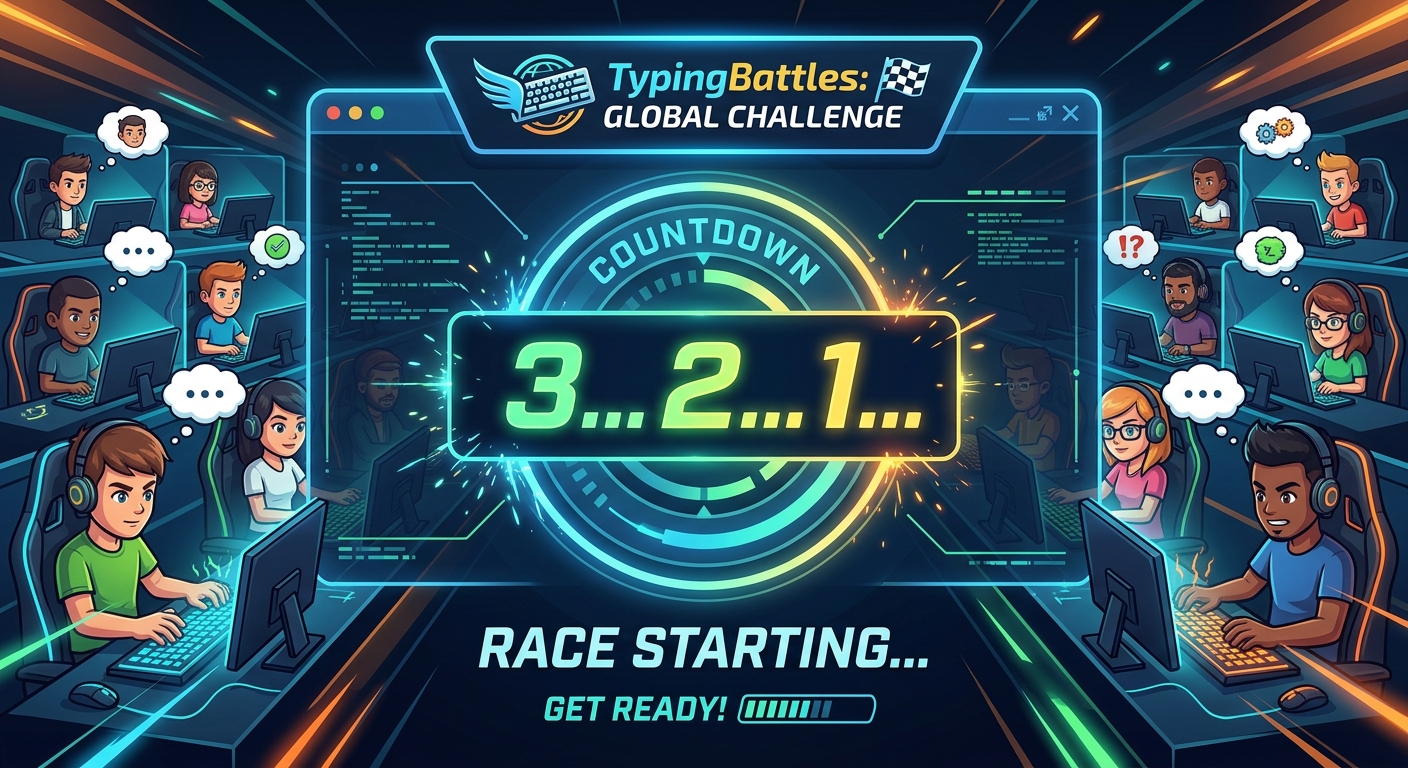
This is the core difference. On TypingBattles, you're racing a person. Someone real. Someone who wants to win.
That changes everything.
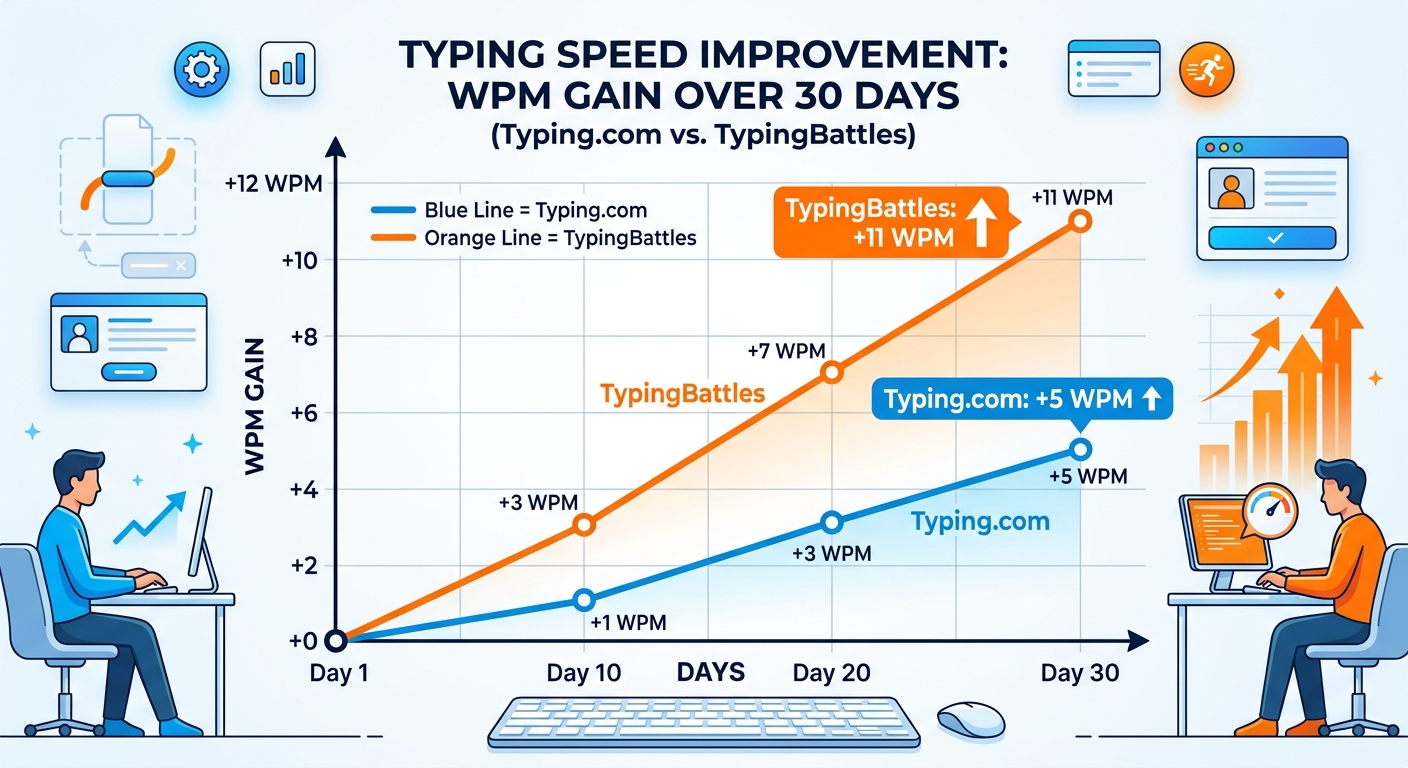
When I race a timer, I push myself. But when I race a human, something else kicks in. Adrenaline. Focus. The fear of losing. My WPM on TypingBattles consistently ran 5-8 words higher than my Keybr scores. Not because I'm better. Because the pressure is higher.
Real Text, Not Pseudo-Words
TypingBattles uses real passages. Real sentences. Real punctuation. Real capitals.
That means you're practicing the kind of typing you actually do at work or school. You're not typing "myyj sjjy." You're typing real English. And that transfers directly to real-world performance.
Four Difficulty Levels
Keybr's difficulty is controlled by its algorithm. TypingBattles lets you choose from four levels — Beginner, Intermediate, Advanced, and Expert. That means you can warm up on easy text and push yourself on hard text in the same session.
Zero Friction
On TypingBattles, you can jump straight into a race with no account, no sign-up wall, and no waiting. You click "Find Opponent," and you're racing almost immediately. Keybr is also frictionless for solo practice, but its multiplayer mode requires more steps.
My 30-Day Experiment Results
Here's what actually happened when I tracked both platforms.
Month 1: Keybr Only
- Starting WPM: 82
- Ending WPM: 87
- Improvement: +5 WPM
- Accuracy: 95% to 97%
- Sessions: 30 (daily, 15 minutes each)
Keybr was excellent for fixing specific weak keys. My accuracy improved significantly. But my speed gains were modest. And after a few weeks, I started craving competition.
Month 2: TypingBattles Only
- Starting WPM: 87
- Ending WPM: 97
- Improvement: +10 WPM
- Accuracy: 97% to 98%
- Sessions: 30 (daily, 15 minutes each)
TypingBattles was faster. The live races meant less waiting and more pressure. The real text meant I was practicing the kind of typing I actually do.
Why the Difference?
Three things.
Real text transfers better. Keybr fixes your weak keys. But it doesn't train you to type real sentences under pressure. TypingBattles does both.
Competition drives performance. Seeing your opponent's progress bar move is a performance enhancer. It forces you to type faster and cleaner than you would alone.
Variety keeps you engaged. The difficulty levels and varied text kept me engaged. I wasn't typing pseudo-words. I was racing real passages.
Who Each Platform Is For
Use Keybr If:
- You already know how to type and want to fix weak keys
- You're a data nerd who loves per-key analytics
- You use an alternative keyboard layout
- You want solo practice without pressure
- You're patient and willing to invest before the algorithm works
Use TypingBattles If:
- You want real-time racing against real people
- You want to practice with real text, not pseudo-words
- You want to perform under pressure
- You want faster matchmaking and less waiting
- You want competition that drives improvement
Use Both If:
- You want the best of both worlds
- You're serious about improving your typing speed
- You want to fix weaknesses and perform under pressure
My Current Routine
After 30 days on each, here's what I do now.
Warm up on Keybr. Five minutes of adaptive drilling to wake up my weak keys.
Race on TypingBattles. Ten minutes of live races against real opponents.
Cool down on Keybr. Five minutes of accuracy-focused practice to reinforce good habits.
This combination gives me the best of both platforms. Keybr fixes my weak keys. TypingBattles trains me to perform under pressure. Keybr provides the analytics. TypingBattles provides the competition.
The Bottom Line
Keybr is the smartest typing tutor on the web. It fixes your weak keys with an adaptive algorithm that no other platform can match. If your goal is to systematically eliminate your typing weaknesses, Keybr is the best tool available.
TypingBattles is the most competitive typing platform. It throws you into real races against real people. If your goal is to perform under pressure and improve your real-world typing speed, TypingBattles is the better pick.
But honestly? You don't have to choose. Use Keybr to fix your weaknesses. Use TypingBattles to perform under pressure. That's the winning combination.
Your fingers will thank you either way.
Key Takeaways
- Keybr uses an AI-powered adaptive algorithm to generate lessons targeting your weakest keys.
- TypingBattles offers real-time racing against real human opponents.
- Keybr uses pseudo-words. TypingBattles uses real text passages.
- Keybr has deep per-key analytics. TypingBattles has race history and leaderboards.
- My 30-day test: TypingBattles drove +10 WPM improvement vs Keybr's +5 WPM.
- Best approach: Use both. Keybr to fix weak keys. TypingBattles to perform under pressure.
Author Bio
Abid is a competitive typist on TypingBattles (105 WPM, 400+ wins). He spent 30 days on Keybr fixing his weak keys before switching to TypingBattles for racing. He still uses Keybr for warm-ups. His semicolon is finally fast.
Reccomendation
Ready to race real opponents? Find out if competition makes you faster.
TypingBattles is free. No account needed. Just click, race, and see where you stand.