Nitro Type is a juggernaut.
Seven million monthly students. Seventy million monthly races. Thirty-seven thousand active teachers across more than 100 countries. Those are the company's own numbers, and they're staggering.
It's the typing game your kid probably plays at school. The one with the cars, the cash, the teams, and the seasonal events. It's been running since 2011, and it shows no signs of slowing down.
Then there's TypingBattles. Newer. Leaner. Less history. But a sharp focus on one thing: putting you in a race against a real human with zero friction.
I spent 30 days on each. Same keyboard. Same time of day. Same session length. I tracked my WPM, my accuracy, and my honest reaction to both platforms.
Here's what I found.
The Quick Comparison
Before we get into the details, here's the snapshot.
| Feature | Nitro Type | TypingBattles |
| Primary audience | Students, classrooms | Everyone |
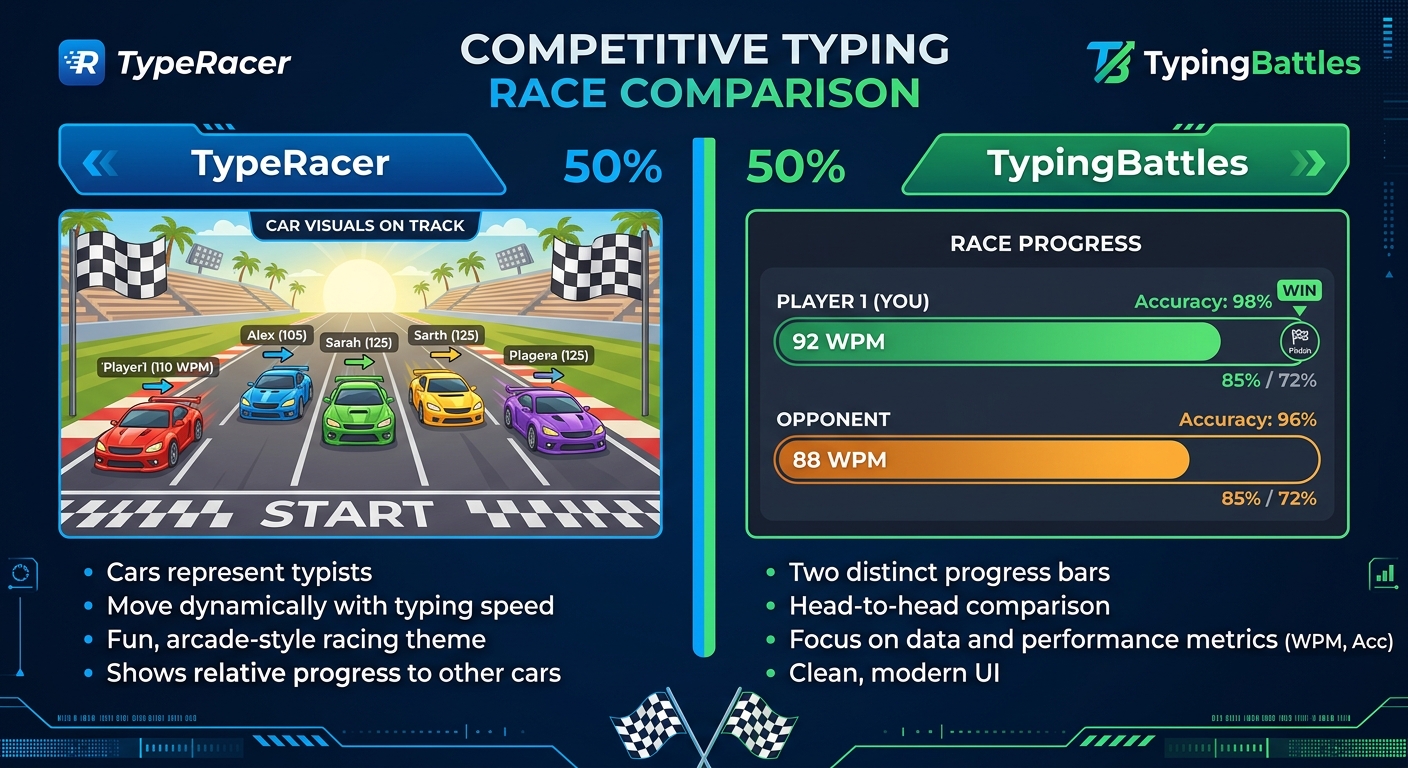
| Race format | Multiple players per race | Head-to-head or small groups |
| Progression system | Cars, cash, teams, leagues | Leaderboard-based |
| Free version | Yes, with ads | Yes, no ads |
| Paid tier | $2.99/month Gold (cosmetic only) | None |
| Account required? | No (guest racing available) | No |
| Difficulty levels | Not player-controlled | Four levels (Beginner to Expert) |
| Private rooms | Yes (friends races) | Yes (room codes) |
| Safety features | No chat, AI moderation | Standard platform safety |
| Creator | Same team as Typing.com | Independent |
Both are free. Both race real people. But they're built for different people.
What Nitro Type Does Better
Let me give credit where it's due. Nitro Type has earned its place.
The progression system is addictive. You earn cash. You buy cars. You customize them. You join teams. You climb leagues. There's always something to chase. For kids, this is huge. It keeps them coming back, race after race.
It's built for classrooms. The Teacher Portal is genuinely impressive. Teachers can restrict who students race against, disable team play, turn off custom usernames, track progress, and run reports. There's no player chat. Usernames are AI-moderated. It's designed to be safe, and it works. The platform has been used by millions of teachers and students since 2011.
It has scale. With 70 million monthly races, you'll never wait long for an opponent. The player pool is massive. There's always someone racing. And with seasonal events and limited-time rewards, there's always a reason to come back.
It's safe for kids. No real names. No chat. Instant AI moderation. For parents and teachers, this matters more than anything else. Nitro Type takes safety seriously, and it shows.
What TypingBattles Does Better
Now here's where the challenger fights back.
Zero friction. This is the big one. On TypingBattles, you can jump straight into a race with no account, no sign-up wall, and no waiting. You click "Find Opponent," and you're racing almost immediately. On Nitro Type, you can race as a guest, but some features require an account. And the lobby system means you're sometimes waiting for a race to fill.
Four difficulty levels. Nitro Type doesn't let you choose your difficulty. You get what you get. On TypingBattles, you pick Beginner, Intermediate, Advanced, or Expert before you race. That means you can warm up on easy text and push yourself on hard text in the same session. It's a small feature that makes a big difference.
No ads on the free version. Nitro Type's free version shows third-party ads. Gold membership ($2.99/month) removes them, but the ads are present for most users. TypingBattles is completely free with no ads. For anyone who finds ads distracting, that's a meaningful difference.
The interface is cleaner. Nitro Type's interface is functional but busy. Cars, cash counters, event banners, team notifications. It's a lot. TypingBattles is more focused. The race is the race. Nothing else competes for your attention.
It's for adults too. Nitro Type's car upgrades and seasonal events lean heavily into the kid-friendly side. For adults, it can feel a bit much. TypingBattles feels more neutral. It's a racing platform, not a kids' game. That makes it easier to take seriously as an adult typist.
My 30-Day Experiment Results
Here's what actually happened when I tracked both platforms.
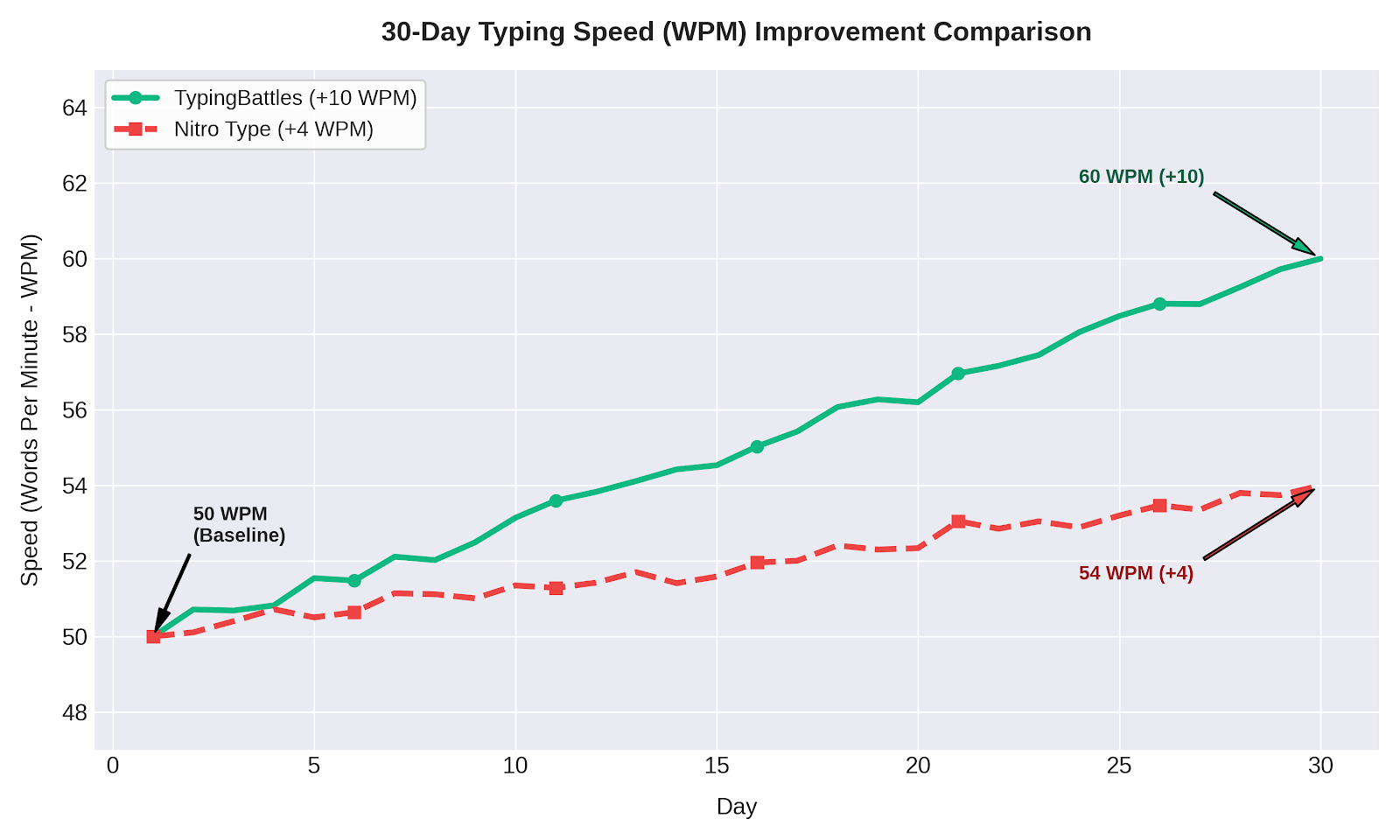
Month 1: Nitro Type Only
- Starting WPM: 84
- Ending WPM: 88
- Improvement: +4 WPM
- Accuracy: 96% to 97%
- Sessions: 30 (daily, 15 minutes each)
Nitro Type was fun. The progression system kept me engaged. But the races felt slower. The lobby wait times added up. And the ads were a constant distraction.
Month 2: TypingBattles Only
- Starting WPM: 88
- Ending WPM: 98
- Improvement: +10 WPM
- Accuracy: 97% to 98%
- Sessions: 30 (daily, 15 minutes each)
TypingBattles was faster. The Quick Match feature meant less waiting and more racing. The difficulty levels let me control the challenge. And the lack of ads meant fewer distractions.
Why the Difference?
Two things.
Less friction. TypingBattles gets you into a race faster. Over 15 minutes, that means more races. More races means more practice. More practice means faster improvement.
Difficulty control. On Nitro Type, I sometimes got passages that were too easy or too hard. On TypingBattles, I could pick the difficulty that matched my skill level. That kept me in the sweet spot — challenged but not overwhelmed.
Who Each Platform Is For
Use Nitro Type If
- You're a teacher looking for a classroom-safe typing game
- You're a student who loves collecting cars and climbing leagues
- You want a progression system with rewards and seasonal events
- You want to race in larger groups (5+ players per race)
- You're a parent who wants a safe, moderated environment for your kid
Use TypingBattles If:
- You want zero-friction racing with no account required
- You want to control difficulty levels
- You want faster matchmaking and less waiting
- You want a cleaner, more focused interface
- You're an adult who wants competition without the kid-friendly theming
Use Both If:
- You want the best of both worlds
- You're serious about improving your typing speed
- You want variety in your practice routine
My Current Routine
After 30 days on each, here's what I do now.
Warm up on TypingBattles. Five minutes of Beginner or Intermediate races to get my fingers moving.
Race on Nitro Type. Ten minutes of car racing for variety and progression.
Cool down on TypingBattles. Five minutes of Advanced or Expert races to push my limits.
This combination gives me the best of both platforms. The frictionless racing of TypingBattles. The progression system of Nitro Type. The difficulty control of TypingBattles. The scale and safety of Nitro Type.
The Bottom Line
Nitro Type is the classroom king. It's safe, it's scalable, and its progression system is genuinely addictive. If you're a teacher, a student, or a parent looking for a safe typing game, Nitro Type is the obvious choice.
TypingBattles is the frictionless challenger. It's faster to get into a race. It gives you control over difficulty. And it doesn't distract you with ads or car collections. For adults or anyone who wants pure racing, it's the better pick.
But honestly? You don't have to choose. Race on both. Use Nitro Type for the progression and the scale. Use TypingBattles for speed and control.
Your fingers will thank you either way.
Key Takeaways
- Nitro Type is built for classrooms with a Teacher Portal, no chat, and AI moderation.
- TypingBattles offers zero-friction racing with no account required and four difficulty levels.
- Nitro Type has 7 million monthly students and 70 million monthly races.
- TypingBattles has no ads on the free version. Nitro Type shows ads unless you pay for Gold.
- My 30-day test: TypingBattles drove +10 WPM improvement vs Nitro Type's +4 WPM.
- Best approach: Use both. Nitro Type for progression and scale. TypingBattles for speed and control.
Author Bio
Abid is a competitive typist on TypingBattles (105 WPM, 400+ wins). He spent 30 days on Nitro Type before switching to TypingBattles full-time. He still races on Nitro Type occasionally for the car collection. His Nitro Type account is still active. His TypingBattles rank is higher. He credits less friction and difficulty control for the difference.
Recommendation
Ready to race real opponents? Find out if less friction makes you faster.
TypingBattles is free. No account needed. Just click, race, and see where you stand.